Inshot Mod APK Download Free For Android 2026
Inshot Mod APK is a powerful video and photo editor with AI effects, auto captions, background remover, filters, 3D effects, music, and pro tools.
Inshot Mod APK
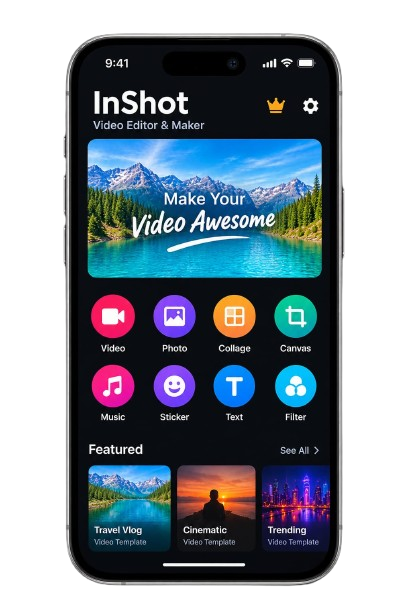
Inshot Mod APK is a popular video editing app with many useful features. This editing app has a very clean and easy-to-use interface, so you can edit videos without needing complicated computer software. The app offers professional-level editing. It comes with useful advanced tools, trendy effects, filters, transitions, templates, and visual elements to make your content pop. While editing, the app offers a multi-track timeline that makes editing smooth. On the other hand, audio tools let you mix background music, soundtracks, and other sounds with ease. You can use animation effects that add movement to your video clips and give them a fresh look. Inshot Mod APK is designed especially for beginners. You can edit highly professional videos for your projects and content. You can also use green screen tools to replace backgrounds and create eye-catching scenes. Creators need high-quality results, so Inshot Mod APK Download also offers 4K video export and popular formats such as MP4, MOV, GIF, JPEG, PNG, and BMP. It is a best and flexible editing app for editing content on mobile.
What is Inshot Mod APK?
This is the content creation era. Video editing is the most in-demand due to its growing role in social media, digital marketing, YouTube, short-form videos, and online businesses. So, the InShot Pro Mod APK is a modified version of the InShot video editor that unlocks premium editing tools for free. While editing projects, you can use the chroma key, audio mixing, high-resolution export, and advanced editing controls. Editors can add amazing 3D animation effects, which are helpful for movement. So, in this way, you can make creative intros, transitions, reels, and visual stories. This editing app makes video editing very handy for every user. For a smoother workflow, you also get new text styles with multi-layer support, enhanced pitch control, and improved UI stability. Whether you are a beginner or an experienced editor, this app keeps things simple with useful features.
Key Features
Auto Captions
Captions help users to understand easily. InShot Mod APK without watermark brings the auto caption feature. This is a seriously handy feature that turns your spoken words into subtitles automatically. This editing app uses voice recognition technology that generates captions without manual typing. So, in this way, users can customize fonts, colors, animations, text styles, and caption layouts to match their video vibe.
AI Body Effects in InShot Pro
AI Body Effects in InShot Mod APK Download without watermark lets you level up your videos with eye-catching visual effects without doing all the work manually. It can add glow, lines, outlines, and dynamic effects around people or animated subjects. The Reshape tool also helps fine-tune facial contours and body appearance for a more polished look. Pretty neat, right? It’s especially useful for Reels, TikTok videos, social posts, edits, and creative projects.
Add Multiple Videos with PIP
The PIP is a super-useful feature of this editing app that lets you place one video over another. You can resize, reposition, and adjust the overlay anywhere on the screen, giving your edits a more dynamic look. Pretty handy, right? It’s perfect for creating reaction videos, gaming clips, tutorials, commentary, walkthroughs, and social media content. For creators who love layered video edits, PIP makes the whole process quick, flexible, and hassle-free.
Custom Keyframe Animations
InShot Mod APK Old Version brings the custom keyframe animation feature that helps you gain precise control over how elements move throughout your video. You can set custom points and adjust the position, scale, rotation, and movement. This makes it easier to create smooth transitions.
Edit Multiple Layers in One Video
This video editing app makes it easy to manage multiple tasks like video, image, audio, text, sticker, and effect layers in a single project. You can overlay clips, add background music, place images, and mix creative effects. This feature also helps you create layered edits, reaction videos, tutorials, gaming content, and social media videos.
Export Videos Without a Watermark
A watermark is considered inappropriate in professional in the professional editing. InShot premium Mod APK allows you to export videos without a watermark. This gives a cleaner, more polished, and professional look to your video.
Ad-Free Video Editing
You can edit videos and projects without watching disturbing ads. The ad-free environment makes the editing experience smoother. So, in this way, you can focus on trimming clips, adding effects, adjusting audio, and polishing your videos without breaking your workflow.
HD, 4K Export, and Social Sharing
InShot Mod APK no watermark supports custom export options, including high-resolution output and 4K/60fps support in the official feature set. This gives creators more control over final quality when preparing content for social platforms. High-resolution export is especially useful for detailed footage, while direct social sharing makes the publishing workflow smoother and more convenient.
AI-Powered Editing Features in InShot MOD APK
AI-Powered Photo Editing Tools
AI enhancement in InShot Mod APK download improves portraits, images, and social media graphics with smart enhancement options. You can also use filters, stickers, backgrounds, collages, and cutout tools to give your photos a fresh look.
AI Speech & Text-to-Speech
This is one of the best features that lets you turn written text into spoken audio directly inside your video project. There is no need to do it manually. It saves the editor time and effort. You can choose different languages and different voice styles.
Smart AI Effects
The smart AI effects enhance the look and style of your photos and videos. With ready-made AI presets and creative effects, you can add more energy to portraits, lifestyle clips, Reels, and short-form content without complicated editing.
AI Automatic Background Removal
This editing app helps you to remove the background from any project. This feature makes background removal super easy. With just one tap, you can automatically separate the subject from the background without needing a green screen. After removing the background, you can replace it with a custom image, solid color, or creative scene.
How to Download Inshot Mod APK
The download process is quite easy and simple. Follow the steps below.
- First of all, find a trusted website.
- Tap on the download button and wait.
- The download takes a few seconds.
- Now enable all unknown permissions in device settings.
- Also locate the file and tap to install.
- Installation takes a few seconds.
- When the InShot APK Mod app appears on the home screen, open it.
- Enjoy high-quality, professional editing with premium tools.
InShot Mod APK for PC
You can also edit videos and projects on PC. It gives you a bigger display to edit your content. It can also make detailed editing more comfortable when working on longer projects. Follow the steps below.
- Download and install a trusted Android emulator on your Windows PC.
- Open the emulator and sign in if it asks for an account.
- Get the InShot APK file from a source you trust.
- Open the APK file with the emulator to start the installation.
- Launch InShot and import your videos, photos, music, or other media.
- Start editing, preview your project, and export the finished video in your preferred quality.
How to Use InShot Mod APK Latest Version
Using this editing app is super easy. If you do not know anything about th editing, then the guide is very helpful for you. Using the InShot Mod APK is very simple. Follow the steps below.
- Select any video or photo after opening the app.
- After that, pick your clips and pictures from your gallery and place them in the order you want.
- Cut out unwanted parts, split clips, crop shots, and join everything to make a smooth sequence.
- Add music, voice-over, sound effects, or background audio to make your video more lively.
- Use filters, transitions, effects, and animations to give your footage a better look.
- Add text, captions, stickers, emojis, and PIP clips to make important parts stand out.
- Adjust the video speed, canvas, aspect ratio, background, and other settings until everything looks right.
- Also, preview the full edit, choose the resolution and quality, then export the finished video and share it wherever you like.
Alternatives to the Inshot Mod APK Pro
CapCut
CapCut is a very popular video editing app. This editing app brings plenty of creative options for editors. It supports video trimming, transitions, filters, effects, text, stickers, music, captions, and AI-powered editing features. Its timeline makes it easy to arrange clips and build short-form content. It is especially useful for TikTok videos, Reels, Shorts, and social media projects. It is a very advanced app for editing videos and content.
KineMaster
KineMaster is another alternative to InShot Mod APK. This editor app is a feature-rich mobile video editor. It supports multiple layers, chroma key, transitions, effects, audio editing, text, stickers, and keyframe animation. Its timeline provides detailed control over individual elements, making it useful for YouTube videos, social media content, tutorials, gaming clips, and professional-style mobile editing.
VN Video Editor
VN Video Editor is also a strong alternative app for video editing. This is very easy to use. It is a user-friendly video editing app that offers many simple tools for editing. The clean interface makes the editing workflow easy. You can use this app to edit high-quality videos for YouTube, TikTok, and other social media platforms.
Alight Motion
Alight Motion is considered a strong alternative to InShot Mod APK. This editing app brings smart editing features like motion graphics, animation, and visual effects. It gives creators detailed control through layer-based editing, keyframe animation, masking, blending modes, text animation, and visual effects.
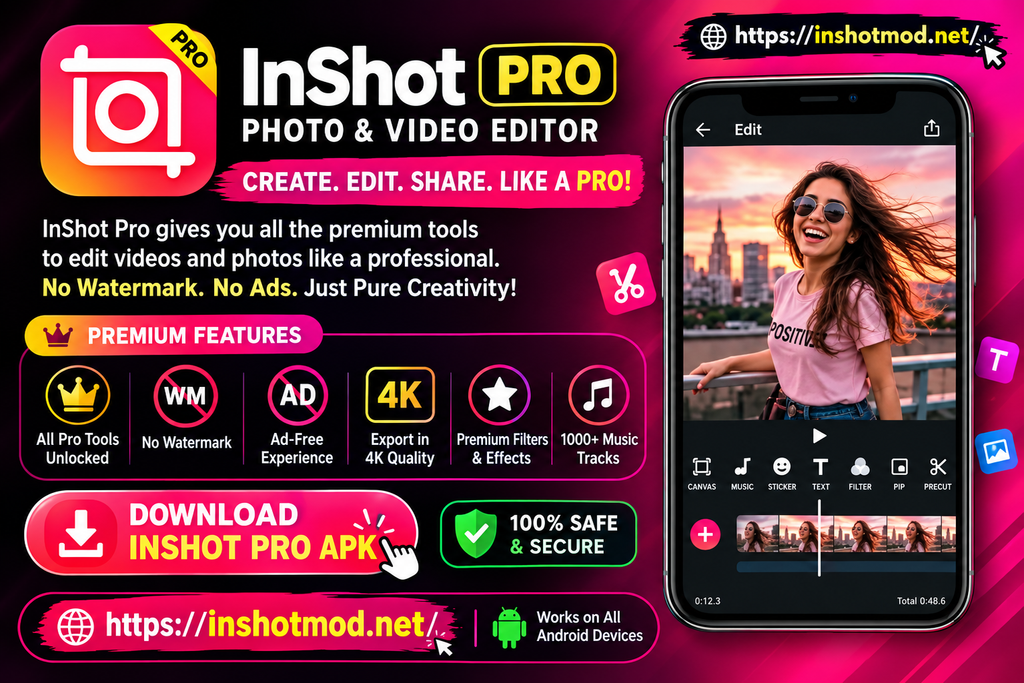
Pros and Cons of Inshot Mod APK
Pros
- This editing app brings video trimming, splitting, cropping, and merging into one simple mobile workspace.
- This photo and video editing app supports AI-powered tools such as captions, speech, and background removal.
- This editing tool makes keyframe animation more accessible for text, stickers, and layered content.
- This mobile video editor supports chroma key for creative green-screen compositions.
- This creative editor provides PIP functionality for multi-layered video projects.
- It includes speed controls and speed ramping for dynamic motion effects.
- It provides music, sound effects, audio extraction, and voice-over tools for stronger storytelling.
- This editing app offers filters, transitions, effects, stickers, fonts, and animated visual elements.
- This photo and video editing app also provides photo editing and collage-making capabilities.
- It includes canvas and aspect-ratio controls for different social media formats.
- This editing tool supports high-resolution export options, including 4K/60fps support in the official feature ecosystem.
- This mobile video editor combines beginner-friendly controls with more advanced tools for social media, vlogs, and creative projects.
Cons
- InShot Mod APK is not the official version. So visit a trusted website and install the latest version.
- Not all Pro features are unlocked in every version.
- After the update, some features may not work properly after updates.
- Install the Mod APK apps at your own risk.
Conclusion
InShot Mod APK brings together video editing, photo editing, AI tools, captions, background removal, smart tracking, keyframes, chroma key, PIP, speed controls, filters, transitions, music, text, stickers, and high-resolution export in one mobile-focused editing experience. Its wide range of creative controls makes it suitable for Reels, TikTok videos, YouTube Shorts, vlogs, slideshows, promotional clips, and everyday photo projects. Users who cannot afford the premium version with a paid subscription can use this Mod app and enjoy all premium features for free.
FAQs
What is Inshot Pro APK?
This editing app is a premium video and photo editor with advanced tools for creating polished videos, photos, reels, and social media content.
Can Inshot Mod APK provide lifetime Pro access?
This editing tool may provide access to premium-style features without a recurring subscription, depending on the modification included in the APK.
Can Inshot APK work with one subscription on iPhone and Android?
This video and photo editing app can support cross-device access when the same subscription and account are supported on both platforms.
Is it possible to add Urdu fonts in Inshot Pro APK?
This editing app can support Urdu text through compatible fonts and keyboard input, depending on the device and available font options.
What AI tools are available in Inshot Mod APK?
This editing tool includes AI-based features such as Auto Captions, AI Speech, background removal, smart tracking, and other creative AI effects.
Does Inshot App provide customer support?
This video and photo editing app provides support through its available help and feedback channels for users who need assistance.